Typography
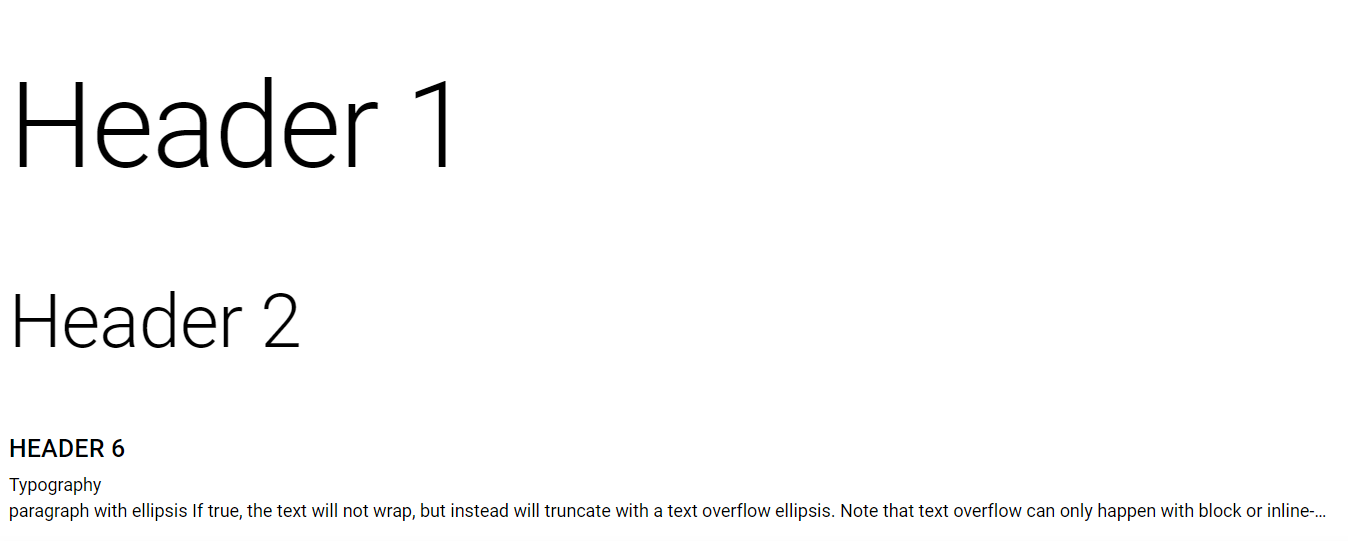
Usage
This props inherits all the Heading or Span properties from HTML
import React from 'react'
import { Div, H1, H2, H6, Text } from 'qdm-component-library'

function App() {
  return (
    <Div>
      <H1>Header 1</H1>
      <H2>Header 2</H2>
      <H6 variant={'caption'}>Header 6</H6>
      <Text>Typography</Text>
      <Text ellipsisRow={1}>
        paragraph with ellipsis If true, the text will not wrap, but instead
        will truncate with a text overflow ellipsis. Note that text overflow can
        only happen with block or inline-block level elements (the element needs
        to have a width in order to overflow).
      </Text>
    </Div>
  )
}
export default App
Reference
Props
className
props for providing classname to Div component string
id
props for providing id to Div component string
name
props for providing name to Div component string
children
props for providing children for Div Component React Node
inLineStyles
props give addition props to the Div Component type Object
align
props for aligning the Typography Component "center" | "justify" | "inherit" | "right"
variant
props for providing variant to the Typography Component string
noWrap
props for providing noWrap style to the Typography Component boolean
ellipsisRow
props for providing text ellipse style to the Typography Component number